
2026-08-01 19:35:34 +0000 UTC
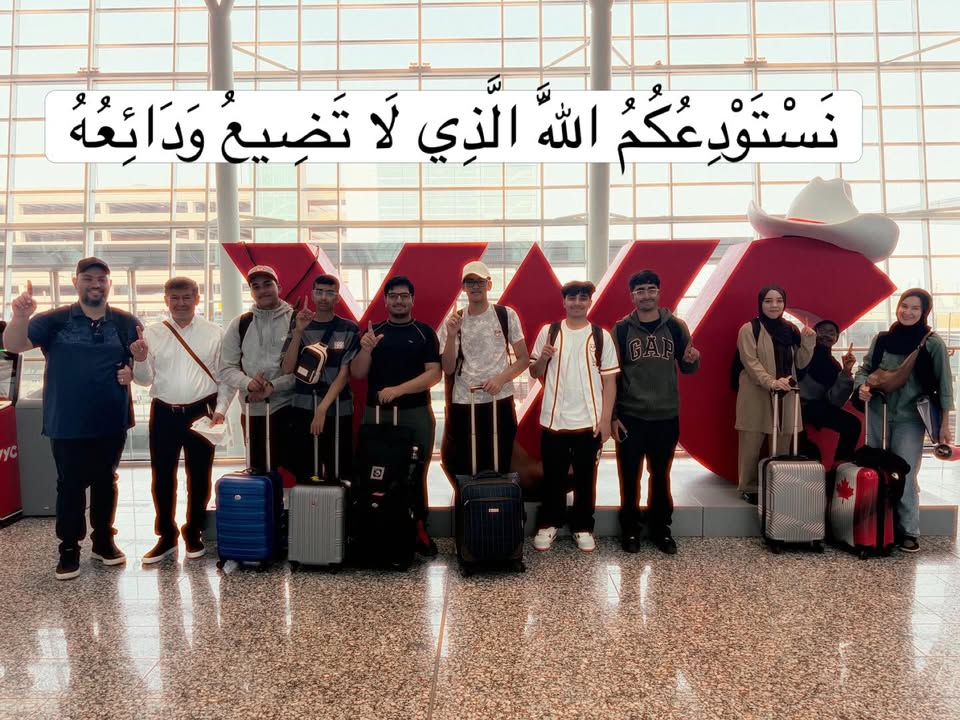
2026-07-26 01:54:28 +0000 UTC

2026-06-09 18:44:46 +0000 UTC
2026-06-08 14:30:18 +0000 UTC

We are Hiring!
<p class="isSelectedEnd"><span>Prairie Rose Public Schools is currently recruiting for multiple teaching and support staff positions at our Calgary campuses for the 2026–2027 school year.</span></p><p class="isSelectedEnd"><span>Opportunities are available at both Akram Jomaa Campus and Omar Bin Al-Khattab Campus. We are seeking dedicated professionals who are committed to supporting student learning and contributing to positive school communities.</span></p><p><span>Interested applicants are encouraged to review current openings and apply online through our careers page.</span></p><ul><li data-list-item-id="e0952ac75d02618304f7399565997d4a8"><span style="-webkit-text-stroke-width:0px;background-color:rgb(255, 255, 255);color:rgb(8, 8, 9);display:inline !important;float:none;font-family:"Segoe UI Historic", "Segoe UI", Helvetica, Arial, sans-serif;font-size:15px;font-style:normal;font-variant-caps:normal;font-variant-ligatures:normal;font-weight:400;letter-spacing:normal;orphans:2;text-align:start;text-decoration-color:initial;text-decoration-style:initial;text-decoration-thickness:initial;text-indent:0px;text-transform:none;white-space:normal;widows:2;word-spacing:0px;">Learn more and apply: </span><a href="https://aj.myprps.com/aj-staff-positions"><span style="-webkit-text-stroke-width:0px;background-color:rgb(255, 255, 255);color:rgb(8, 8, 9);display:inline !important;float:none;font-family:"Segoe UI Historic", "Segoe UI", Helvetica, Arial, sans-serif;font-size:15px;font-style:normal;font-variant-caps:normal;font-variant-ligatures:normal;font-weight:400;letter-spacing:normal;orphans:2;text-align:start;text-decoration-color:initial;text-decoration-style:initial;text-decoration-thickness:initial;text-indent:0px;text-transform:none;white-space:normal;widows:2;word-spacing:0px;">https://aj.myprps.com/aj-staff-positions</span></a></li></ul>
2026-05-27 14:00:58.124 +0000 UTC

Introducing MyPowerHub and SafeArrival
<p>Prairie Rose Public Schools has launched the new <strong>MyPowerHub</strong> experience within the PowerSchool Parent app families have already been using. MyPowerHub brings student information, communication tools and other helpful resources together in one convenient location.</p><p><strong>This is not a new app, and you do not need to create a new PowerSchool account.</strong></p><p><i>Same PowerSchool app. Same account. New MyPowerHub experience.</i></p><p>To log in, use the email address you have on file with Prairie Rose Public Schools and your unique PowerSchool password.</p><h3>Important Mobile App Update (as of August 31, 2026)</h3><p>The new MyPowerHub interface has just launched in time for the start of the school year, and we are currently working through a few bumps with the PowerSchool support team.</p><p>There are currently two known issues with the PowerSchool Parent mobile app:</p><p><strong>SafeArrival Attendance</strong><br>Reporting an absence through the new MyPowerHub interface in the PowerSchool Parent app is currently not working correctly.</p><p><strong>SchoolMessenger Inbox</strong><br>Families may receive an error when trying to open SchoolMessenger Inbox messages through the PowerSchool Parent app.</p><p>Both issues have been reported to PowerSchool support, and we are working with their team to get them resolved.</p><p>MyPowerHub is working correctly through a web browser. Families can access the web version by selecting <strong>MyPowerHub Parents / Report an Absence</strong> on any PRPS school website or using the link below.</p><p><a href="https://prsd8.guardian.ca.powerschool.com/">Access MyPowerHub Parents / Report an Absence</a></p><figure class="table"><table><tbody><tr><td><h3>Need to Report an Absence?</h3></td></tr><tr><td><p>Prairie Rose Public Schools has launched SafeArrival, a new system for reporting student absences and helping schools follow up on unexplained absences.</p><p>While absence reporting through the PowerSchool Parent mobile app is currently unavailable, families can still report an absence in four ways:</p></td></tr><tr><td><p><strong>1. Call SafeArrival Directly</strong></p><p>Call 1-833-225-4634 and follow the prompts to report your child's absence.</p><p>Tip: Add this number to your phone's contact list as SafeArrival for quick and easy access throughout the school year.</p></td></tr><tr><td><p><strong>2. Call Your School and Press 8</strong></p><p>Families at all PRPS schools (with the exception of CIS schools) can call their school's regular phone number and press 8 to be connected to SafeArrival.</p><p>Follow the prompts to report your child's absence.</p></td></tr><tr><td><p><strong>3. Use MyPowerHub Through a Web Browser</strong></p><p>Visit any PRPS school website and select MyPowerHub Parents / Report an Absence, or use the direct link below:</p><p><a href="https://prsd8.guardian.ca.powerschool.com/">MyPowerHub Parents / Report an Absence</a></p><p>Log in using the email address you have on file with PRPS and your unique PowerSchool password.</p><p>Once logged in, select:</p><p><i>Attendance → SafeArrival Attendance → Report an Absence</i></p></td></tr><tr><td><p><strong>4. Use the SchoolMessenger App</strong></p><p>Families who already have a SchoolMessenger account can also report an absence through the SchoolMessenger app.</p><p>Open the app and select:</p><p><i>Attendance → Report an Absence</i></p><p>Then follow the prompts to submit the absence.</p><p>Note: There is no need to create a SchoolMessenger account if you do not already have one. Once the current PowerSchool Parent app issues are resolved, SafeArrival absence reporting will be available directly through MyPowerHub, allowing families to access this feature along with their other PowerSchool information in one place.</p></td></tr><tr><td><p><strong>What Happens if an Absence Has Not Been Reported?</strong></p><p>If your child is marked absent and an absence reason has not already been reported, SafeArrival will automatically contact you through phone, email and text notifications. You will have an opportunity to confirm the absence through the notification process.</p><p>SafeArrival helps schools identify unexplained absences more quickly while giving families convenient options for reporting when their child will be away.</p></td></tr></tbody></table></figure><h3>About MyPowerHub</h3><p>MyPowerHub works with PowerSchool to bring more of your child's school information and communication tools together in a convenient, user friendly format.</p><p>Depending on your school, MyPowerHub can provide access to information and tools such as:</p><ul><li data-list-item-id="ed2bea7c912b08ea745e264160f307bda">Grades and assignments</li><li data-list-item-id="eebe5fd333f0125af56349248c4980005">Attendance</li><li data-list-item-id="e334e911ec680dff91f026eb6f6bff97f">Newsfeed</li><li data-list-item-id="e450d00a1f1b068bdc7ac953235731c42">Classroom Messaging</li><li data-list-item-id="e0d5fea6520854e7db14104b165de8c11">School calendars</li><li data-list-item-id="e5fd4fb99c3f6fbd67b5c63f1e30d5df7">SchoolMessenger Inbox</li><li data-list-item-id="eb2ae35c3c555249873dfaeab51fbd59a">SafeArrival Attendance</li><li data-list-item-id="ecc1e52bcbcbaa115febec6546f3967ae">SchoolCash Online</li><li data-list-item-id="e611ffd424c8d5f02189b650d570212f2">Transportation information and notifications</li><li data-list-item-id="e67bc350eff0de18827defc5d4953eb2a">Other school and division resources</li></ul><p><strong>Not Every School Will Use Every Feature</strong></p><p>You may see a number of different tiles and features when you open MyPowerHub. Not every PRPS school will use every feature.</p><p>How individual tools are used may vary by school. Your school will provide information about the features it is using and how they will be used.</p><h3>Staying Connected Through MyPowerHub</h3><p>MyPowerHub also provides schools and teachers with new ways to communicate with students and families.</p><p><strong>Newsfeed</strong></p><ul><li data-list-item-id="e76c22592ed1177c52e846de290a22101">Newsfeed allows schools and teachers to share announcements, reminders and updates with families.</li><li data-list-item-id="e05bd1fc693b43b8a290047cb78cd2856">Newsfeed is primarily intended for sharing information rather than having a group conversation.</li></ul><p><strong>Classroom Messaging</strong></p><ul><li data-list-item-id="e4295df7cc0fd3558e1f2d738aedf0b34">Classroom Messaging provides another way for teachers to communicate directly with students and families.</li><li data-list-item-id="e3ff0a28f4b5ed1b814f5ae1c892f924a">Teachers can use Messaging to communicate with their classes or send direct messages. Families can view and respond to messages through MyPowerHub.</li><li data-list-item-id="e5b5f01e29777f396e80b205943be550e">Schools and teachers will provide more information as they begin using these features.</li></ul><h3>Parent Guides</h3><p>Want to learn more? We have developed two guides to help families get familiar with MyPowerHub and its new communication tools.</p><p><strong>MyPowerHub Parent Guide</strong></p><p>Learn what you can find in MyPowerHub and how to navigate the new experience.</p><p><a href="https://drive.google.com/file/d/1GYsmQTxUAqjjPZKELQmRcBBxLnZ6zooI/view?usp=drive_link">View the Guide to MyPowerHub</a></p><p><strong>Classroom Messaging Parent Guide</strong></p><p>Learn how to view classroom messages, communicate with your child's teacher and use private messaging options.</p><p><a href="https://drive.google.com/file/d/1FiZjuDzM8u23NragJq-W0FpCNGs2nBuG/view?usp=drive_link">View the Classroom Messaging Parent Guide</a></p><h3>Thank You for Your Patience</h3><p>We know the start of a new school year comes with lots of information, and introducing new technology can sometimes come with a few challenges.</p><p>Our team is working closely with PowerSchool support to resolve the current mobile app issues as quickly as possible. In the meantime, the MyPowerHub web version is available and working correctly.</p><p>Thank you for your patience as we work through these early implementation bumps.</p>
2026-08-31 17:00:18.636 +0000 UTC
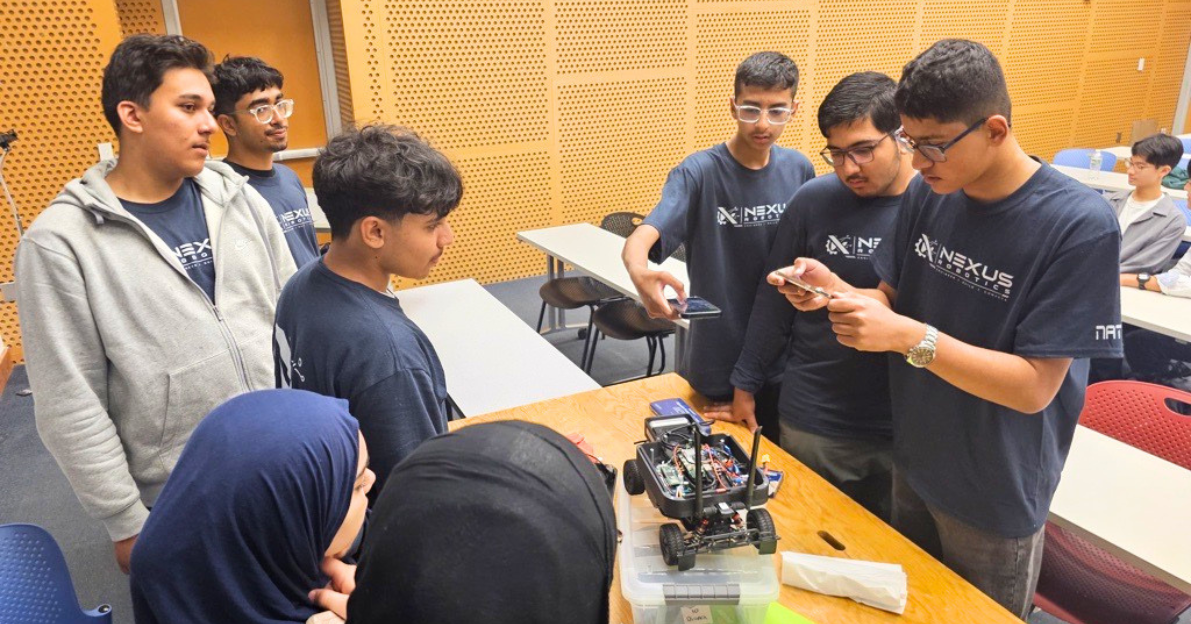
Prairie Rose Students Earn International Title at MIT Beaver Works Summer Institute
<p class="isSelectedEnd"><span>Nine Prairie Rose Public Schools students have earned international recognition after capturing first place at one of the world's most prestigious high school STEM programs.</span></p><p class="isSelectedEnd"><span>Competing in the internationally recognized <strong>RACECAR (Rapid Autonomous Complex Environment Competing Ackermann steering Robot)</strong> program at the Massachusetts Institute of Technology (MIT) Beaver Works Summer Institute (BWSI), the Prairie Rose team recorded the fastest overall time in the program's final competition and was named the International Team Winner, outperforming teams from around the world.</span></p><p class="isSelectedEnd"><span>The MIT Beaver Works Summer Institute is an internationally recognized STEM program that provides high achieving high school students with advanced learning opportunities in artificial intelligence, robotics, autonomous systems, and programming.</span></p><p class="isSelectedEnd"><span>For the Prairie Rose team, success began long before arriving on the MIT campus. Throughout the second semester of the school year, the nine students completed rigorous university level coursework to prepare for the program. Once in Cambridge, Massachusetts, they spent each day immersed in intensive learning, combining technical instruction, collaborative engineering challenges, and hands on programming before completing several hours of evening assignments. Students also attended presentations from leading scientists, engineers, and technology innovators.</span></p><p class="isSelectedEnd"><span>The experience concluded with Race Day, where teams tested their custom programmed autonomous vehicles in a series of timed challenges. Prairie Rose's nine student team earned the fastest overall performance, securing first place in the time trials and the title of International Team Winner.</span></p><p class="isSelectedEnd"><span>"The dedication shown by our students and teachers throughout this entire experience has been nothing short of inspiring," said Darren MacMillan, Director of Strategic Programming and Innovation. "Spending a semester preparing for and then excelling in a world class environment like MIT speaks to their work ethic, brilliance, and passion for technology."</span></p><p class="isSelectedEnd"><span>"This remarkable achievement demonstrates what is possible when students are challenged to think beyond the classroom and are supported by passionate educators who believe in their potential," said Dr. Reagan Weeks, Superintendent of Prairie Rose Public Schools. "Watching our students compete and succeed on an international stage at one of the world's leading institutions is a proud moment for our entire division and reflects our commitment to creating learning opportunities that prepare students for the future."</span></p><p><span>Prairie Rose Public Schools congratulates the nine students from Akram Jomaa School and their two teacher leaders whose dedication, perseverance, and countless hours of preparation culminated in this outstanding achievement on the international stage.</span></p><p><span>Watch the video: </span></p><figure class="media"><oembed url="https://vimeo.com/1215555136?share=copy&fl=sv&fe=ci"></oembed></figure>
2026-08-04 17:30:00.533 +0000 UTC
| Holiday - No School | |
| Day of Truth and Reconciliation | |
| SI/PD Day | |
| SI/PD Day | |
| Holiday - No School |
Today
Loading...
Calgary, AB
Tomorrow
Loading...
Calgary, AB